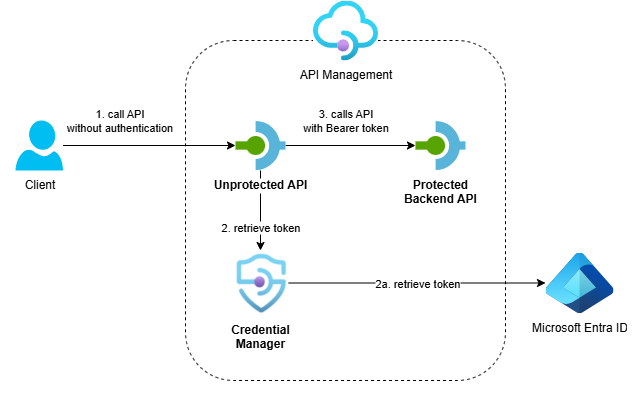
Azure API Management’s credential manager provides a simple, managed way to handle OAuth flows with automatic token acquisition and caching. In this post, I show how to configure it using Bicep and integrate it into your APIs. I also highlight key considerations to help you decide when credential manager is the right choice versus custom token handling.
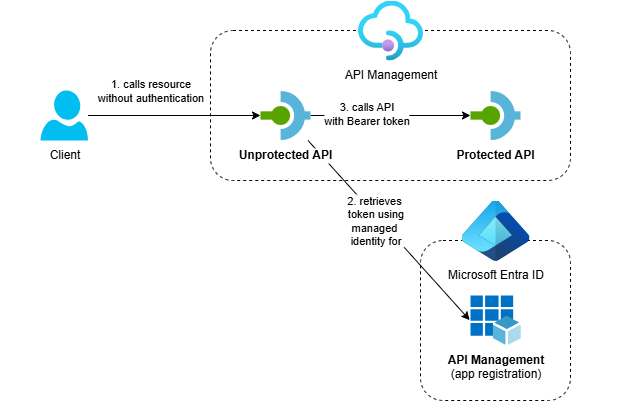
Learn how to use API Management to call OAuth-protected APIs with managed identity. This enables secure API-to-API communication and privilege delegation patterns without managing secrets.
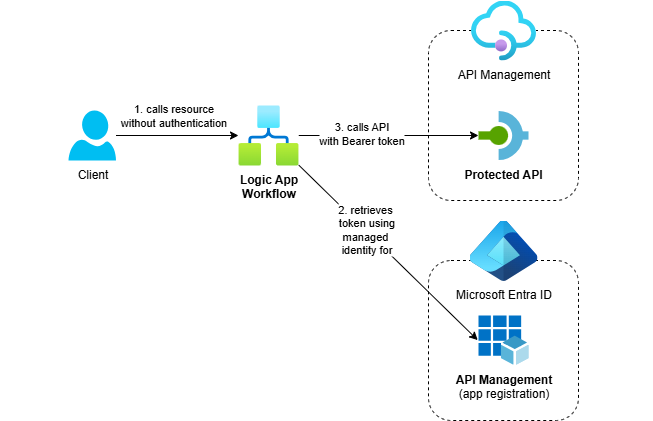
Azure Logic Apps Standard makes it easy to call OAuth-protected APIs using managed identity. This post demonstrates how to use the HTTP action’s built-in authentication and token caching for secure, reliable calls.
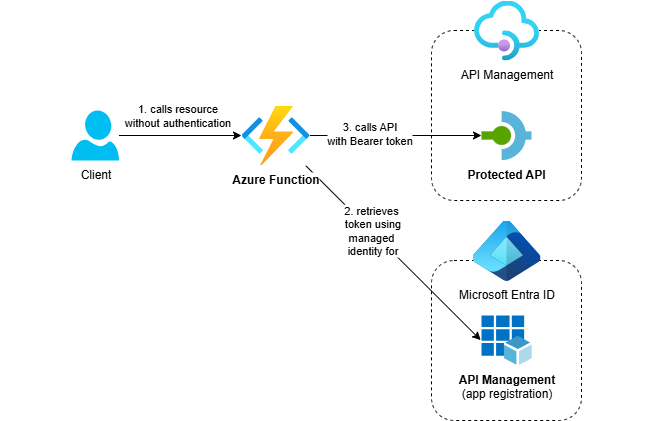
Learn how to call OAuth-protected APIs from .NET applications using Azure managed identity. This post shows how to implement secure API calls from Azure Functions without managing secrets, using the Azure Identity library and custom HTTP message handlers.
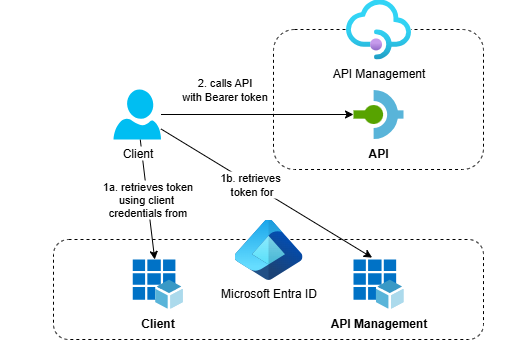
Discover how to secure APIs in Azure API Management with OAuth 2.0 and Microsoft Entra ID using a fully automated, infrastructure-as-code approach. This post walks through deploying everything with Bicep, including app registrations via the Microsoft Graph Bicep extension, so you can avoid manual portal setup and ensure repeatable deployments.
In this third post on working with client certificates in Azure API Management, we’ll focus on securing backend connections with mTLS. We’ll deploy two API Management instances. The first will serve as the backend and require a client certificate for authentication. The second will act as the client. We will call the client using TLS, and it will, in turn, connect to the backend using mTLS.