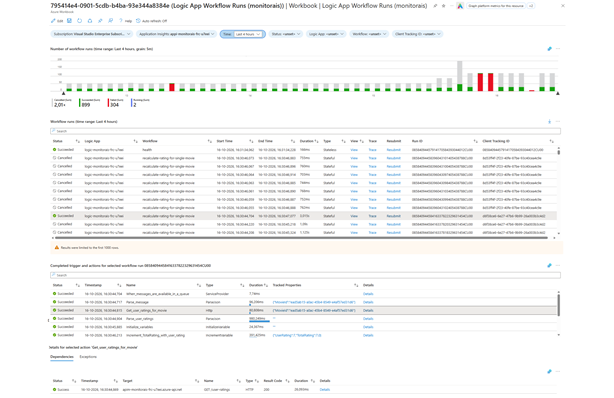
The Insights screen of a Logic App shows workflow runs, but only for a single Logic App and with some limitations. In this post, I walk through an Azure Workbook that shows the runs of multiple Logic Apps in one place, including cancelled runs, a graph over time, trace links and the option to view or resubmit a run.
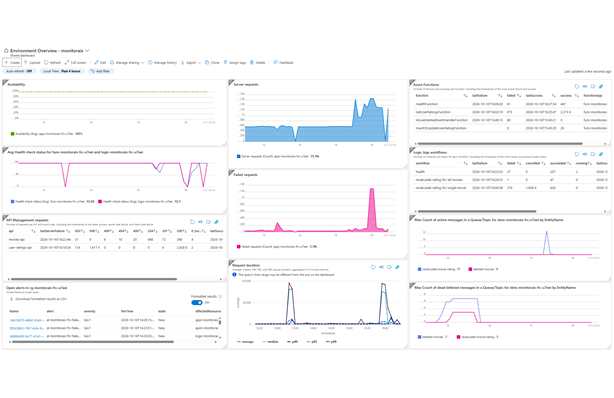
Integrations built with Azure Integration Services can include components from several services, each with its own monitoring experience. In this post, I show how I bring API Management requests, Azure Functions, Logic App workflows and Service Bus signals together in an Azure dashboard, then turn that dashboard into a reusable Bicep deployment.
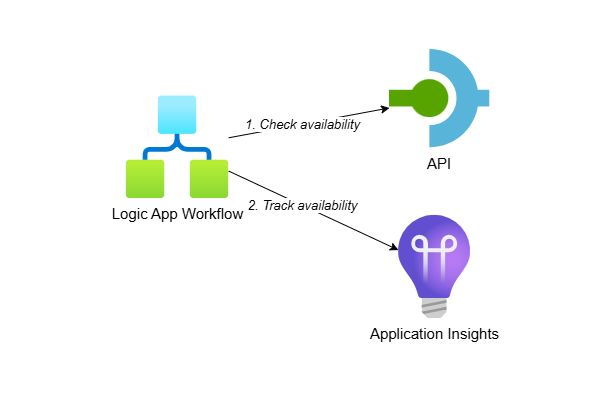
I’ve worked with clients following a low-code first strategy where Logic Apps are preferred over .NET solutions. This post shows you how to create custom availability tests using Logic App (Standard) workflows and track the results in Application Insights. This approach gives you access to all Logic App capabilities while requiring minimal code.
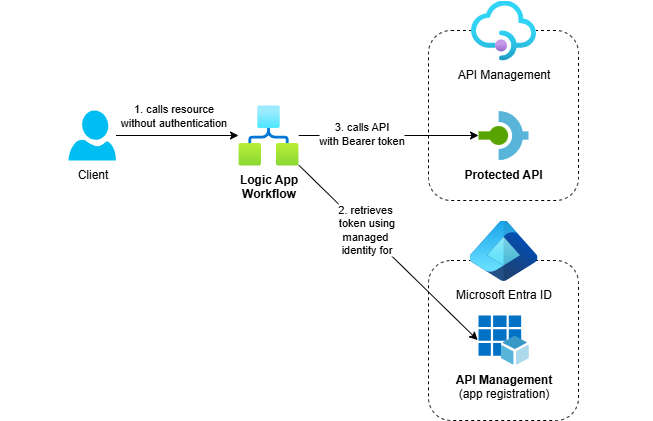
Azure Logic Apps Standard makes it easy to call OAuth-protected APIs using managed identity. This post demonstrates how to use the HTTP action’s built-in authentication and token caching for secure, reliable calls.
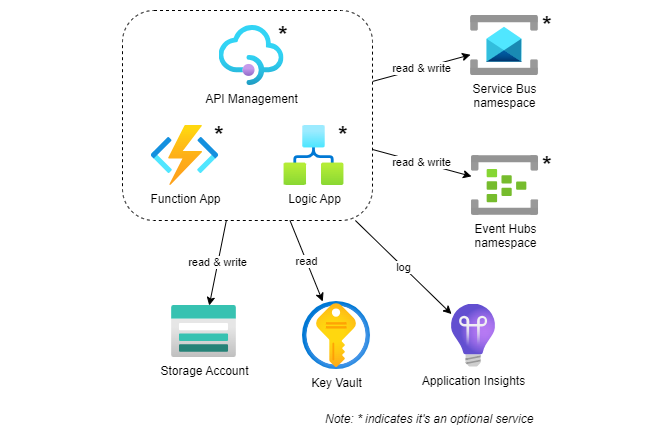
I’ve recently published a Bicep template for quickly deploying Azure Integration Services, including Azure API Management, Function App, Logic App, Service Bus and Event Hubs namespace, along with supporting resources such as Application Insights, Key Vault and Storage Account.