
Deep Object Comparison in MSTest with Assert.AreEquivalent
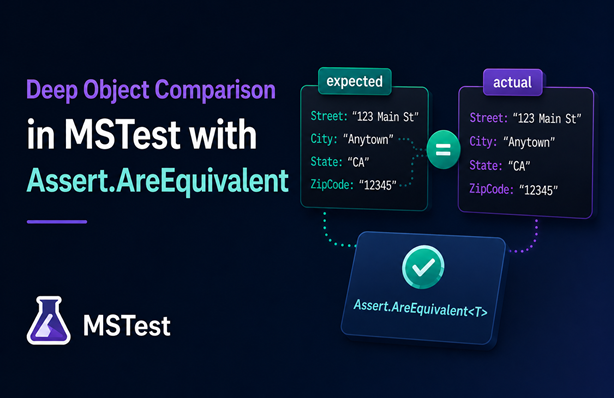
I’ve used FluentAssertions in many test projects over the years. The fluent API is great, but the feature I relied on most was the Should().BeEquivalentTo extension method. It performs a deep equality comparison of two objects by checking that all properties have the same value. Using it means you don’t have to write code to check each property yourself, keeping tests clean and easy to write.
When FluentAssertions changed its license, I looked at alternatives. AwesomeAssertions is a fork of FluentAssertions before the license change and has the same interface. Shouldly is a popular alternative that has gained traction as well.
I also noticed that xUnit introduced its own implementation back in August 2022. Because I regularly use MSTest, I thought it would be a nice addition as well. So, I registered this issue a while back.
Fast forward to July 2026 and MSTest v4.3.0 is released, which introduces the Assert.AreEquivalent<T> method. In this post, I’ll walk you through what it can do and how it compares to AwesomeAssertions and Shouldly. I’ve created a small sample solution that shows the three frameworks side by side.
Table of Contents
- Test Setup
- Assert.AreEqual vs Assert.AreEquivalent
- Cross-Type Comparison
- Nested Objects
- Collection Comparison
- Types with Extra Properties
- No Support for Ignoring Properties
- Conclusion
Test Setup
I’m using an AddressInternal class as test data throughout the examples:
internal class AddressInternal
{
    public AddressInternal(string street, string city, string state, string zipCode)
    {
        Street = street;
        City = city;
        State = state;
        ZipCode = zipCode;
    }

    public string Street { get; set; }
    public string City { get; set; }
    public string State { get; set; }
    public string ZipCode { get; set; }
}
Assert.AreEqual vs Assert.AreEquivalent
Before MSTest v4.3.0, Assert.AreEqual was the method you could use for comparison. It relies on the Equals method of the objects being compared. This works great for structs and records, but for other classes it compares object references rather than property values.
Here are three tests that demonstrate the behaviour:
[TestMethod]
public void AreEqual_ExpectedAndActualAreSameObject_Success()
{
    var expected = new AddressInternal("123 Main St", "Anytown", "CA", "12345");
    var actual = expected;

    Assert.AreEqual(expected, actual);
}

[TestMethod]
public void AreEqual_ExpectedAndActualAreDifferentObjectsWithDifferentValues_AssertionFails()
{
    var expected = new AddressInternal("123 Main St", "Anytown", "CA", "12345");
    var actual = new AddressInternal("456 Elm St", "Othertown", "NY", "67890");

    var act = () => Assert.AreEqual(expected, actual);

    Assert.ThrowsExactly<AssertFailedException>(act);
}

[TestMethod]
public void AreEqual_ExpectedAndActualAreDifferentObjectsWithSameValues_TestFailsAlthoughObjectsAreEquivalent()
{
    var expected = new AddressInternal("123 Main St", "Anytown", "CA", "12345");
    var actual = new AddressInternal("123 Main St", "Anytown", "CA", "12345");

    Assert.AreEqual(expected, actual);
}
The first test passes because expected and actual point to the same object. The second test shows the expected failure when property values differ. The third test is the interesting one: even though both objects have identical properties and values, the assertion fails because AreEqual uses Equals, which compares object references for classes that don’t have a custom equality implementation.
The new Assert.AreEquivalent<T> method solves this by comparing properties by value:
[TestMethod]
public void AreEquivalent_ExpectedAndActualAreSameObject_Success()
{
    var expected = new AddressInternal("123 Main St", "Anytown", "CA", "12345");
    var actual = expected;

    Assert.AreEquivalent(expected, actual);
}

[TestMethod]
public void AreEquivalent_ExpectedAndActualAreDifferentObjectsWithDifferentValues_AssertionFails()
{
    var expected = new AddressInternal("123 Main St", "Anytown", "CA", "12345");
    var actual = new AddressInternal("456 Elm St", "Othertown", "NY", "67890");

    var act = () => Assert.AreEquivalent(expected, actual);

    Assert.ThrowsExactly<AssertFailedException>(act);
}

[TestMethod]
public void AreEquivalent_ExpectedAndActualAreDifferentObjectsWithSameValues_Success()
{
    var expected = new AddressInternal("123 Main St", "Anytown", "CA", "12345");
    var actual = new AddressInternal("123 Main St", "Anytown", "CA", "12345");

    Assert.AreEquivalent(expected, actual);
}
The third test now passes as well because AreEquivalent checks the properties of both objects and compares their values rather than relying on Equals.
One thing to note is how each framework reports failures when multiple properties differ. In the second test, expected and actual have four different property values. AwesomeAssertions includes all differing properties in the exception message, which makes it easy to see every difference at once. MSTest and Shouldly only report the first property that differs.
MSTest also provides Assert.AreNotEquivalent<T> to assert when two objects are not equivalent.
Cross-Type Comparison
The AreEquivalent method can also compare objects of different types as long as they share the same properties. For example, comparing an AddressInternal object with an AddressExternal object that has the exact same properties works:
[TestMethod]
public void AreEquivalent_ExpectedAndActualAreDifferentTypesWithSameValues_Success()
{
    var expected = new AddressInternal("123 Main St", "Anytown", "CA", "12345");
    var actual = new AddressExternal("123 Main St", "Anytown", "CA", "12345");

    Assert.AreEquivalent<object>(expected, actual);
}

[TestMethod]
public void AreEquivalent_ExpectedAndActualAreDifferentTypesWithDifferentValues_AssertionFails()
{
    var expected = new AddressInternal("123 Main St", "Anytown", "CA", "12345");
    // actual has different street
    var actual = new AddressExternal("456 Elm St", "Anytown", "CA", "12345");

    var act = () => Assert.AreEquivalent<object>(expected, actual);

    var ex = Assert.ThrowsExactly<AssertFailedException>(act);
    StringAssert.Contains(ex.Message, "Street");
}
The first test shows that the assertion succeeds as long as the property values are the same, and the second test shows it fails when a property value differs. In this case the street.
Note that there is only a generic implementation of AreEquivalent. So, we need to specify <object> to compare different objects.
AwesomeAssertions handles this the same way. Shouldly, however, doesn’t support comparing different types, so that’s something to keep in mind if you’re considering it as an alternative.
Nested Objects
Complex child objects are also supported. For example, a PersonInternal object with an AddressInternal property is compared correctly:
[TestMethod]
public void AreEquivalent_NestedObjectsOfDifferentTypesWithSameValues_Success()
{
    var expected = new PersonInternal("John", "Doe", 30,
        new AddressInternal("123 Main St", "Anytown", "CA", "12345"));
    var actual = new PersonExternal("John", "Doe", 30,
        new AddressExternal("123 Main St", "Anytown", "CA", "12345"));

    Assert.AreEquivalent<object>(expected, actual);
}

[TestMethod]
public void AreEquivalent_NestedObjectsOfDifferentTypesWithDifferentValues_AssertionFails()
{
    var expected = new PersonInternal("John", "Doe", 30,
        new AddressInternal("123 Main St", "Anytown", "CA", "12345"));
    // actual has different street
    var actual = new PersonExternal("John", "Doe", 30,
        new AddressExternal("456 Elm St", "Anytown", "CA", "12345"));

    var act = () => Assert.AreEquivalent<object>(expected, actual);

    var ex = Assert.ThrowsExactly<AssertFailedException>(act);
    StringAssert.Contains(ex.Message, "Street");
}
Collection Comparison
Comparing collections also works with AreEquivalent. Here’s an example using a list of addresses:
[TestMethod]
public void AreEquivalent_CollectionsOfObjectsWithSameValues_Success()
{
    var expected = new List<AddressInternal>
    {
        new AddressInternal("123 Main St", "Anytown", "CA", "12345"),
        new AddressInternal("456 Elm St", "Othertown", "NY", "67890")
    };
    var actual = new List<AddressInternal>
    {
        new AddressInternal("123 Main St", "Anytown", "CA", "12345"),
        new AddressInternal("456 Elm St", "Othertown", "NY", "67890")
    };

    Assert.AreEquivalent(expected, actual);
}

[TestMethod]
public void AreEquivalent_CollectionsOfObjectsWithDifferentValues_AssertionFails()
{
    var expected = new List<AddressInternal>
    {
        new AddressInternal("123 Main St", "Anytown", "CA", "12345"),
        new AddressInternal("456 Elm St", "Othertown", "NY", "67890")
    };
    var actual = new List<AddressInternal>
    {
        new AddressInternal("123 Main St", "Anytown", "CA", "12345"),
        // actual has different street
        new AddressInternal("789 Oak St", "Othertown", "NY", "67890")
    };

    var act = () => Assert.AreEquivalent(expected, actual);

    var ex = Assert.ThrowsExactly<AssertFailedException>(act);
    StringAssert.Contains(ex.Message, "Street");
}
Types with Extra Properties
Sometimes you might need to compare two similar types where one of them has additional properties. Consider an AddressWithExtraProperty type that has an extra Country property. Here’s an example:
[TestMethod]
public void AreEquivalent_ActualHasExtraProperty_Success()
{
    var expected = new AddressInternal("123 Main St", "Anytown", "CA", "12345");
    var actual = new AddressWithExtraProperty("123 Main St", "Anytown", "CA", "12345", "The Country");

    Assert.AreEquivalent<object>(expected, actual);
}

[TestMethod]
public void AreEquivalent_ExpectedHasExtraProperty_AssertionFails()
{
    var expected = new AddressWithExtraProperty("123 Main St", "Anytown", "CA", "12345", "The Country");
    var actual = new AddressInternal("123 Main St", "Anytown", "CA", "12345");

    var act = () => Assert.AreEquivalent<object>(expected, actual);

    var ex = Assert.ThrowsExactly<AssertFailedException>(act);
    StringAssert.Contains(ex.Message, "Country");
}
Similar to AwesomeAssertions, the objects are considered equivalent when the actual object has the extra property and different when expected has the extra property.
MSTest also provides an overload with the strict parameter. If set to true, the comparison fails if actual has public properties or fields that are not present on expected.
No Support for Ignoring Properties
The current implementation is a solid first step, but it’s not feature-complete yet. One noticeable gap is the lack of support for ignoring specific properties during comparison. AwesomeAssertions supports this through its options parameter:
[TestMethod]
public void ShouldBeEquivalentTo_ExpectedAndActualHaveDifferentValueButPropertyIsIgnored_Success()
{
    var expected = new AddressInternal("123 Main St", "Anytown", "CA", "12345");
    var actual = new AddressInternal("456 Elm St", "Anytown", "CA", "12345");

    actual.Should().BeEquivalentTo(expected, options => options.Excluding(x => x.Street));
}
This test passes with AwesomeAssertions even though Street differs between the two objects because we’re explicitly excluding it from the comparison. MSTest doesn’t support this yet, and neither does Shouldly, so it’s a known limitation to be aware of for now.
Conclusion
The new Assert.AreEquivalent<T> and Assert.AreNotEquivalent<T> methods in MSTest v4.3.0 fill a gap that previously required a third-party library. They handle deep property comparison, work across different types with the same shape and support collections. If you’re already using MSTest and want to reduce dependencies, this is a welcome addition.
The implementation isn’t complete yet. Ignoring properties during comparison is a common need that isn’t supported at the time of writing. And when multiple properties differ, MSTest only reports the first one, whereas AwesomeAssertions includes all differing properties in the failure message.
If you want to try it yourself, the sample solution on GitHub contains all the examples from this post for AwesomeAssertions, Shouldly and MSTest side by side, along with additional scenarios.