
Rate Limiting in Azure API Management
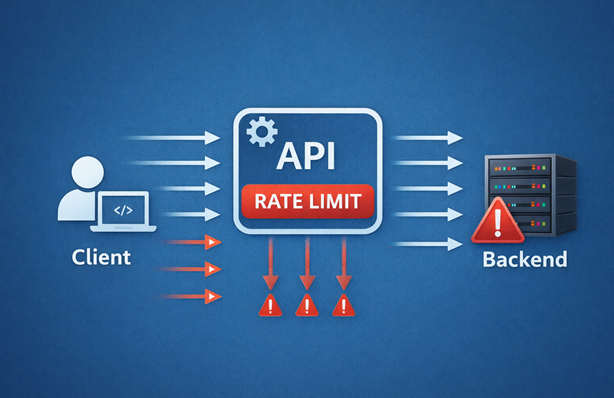
I’ve been working with Azure API Management on projects where protecting backend services from excessive traffic matters. Rate limiting helps prevent backends from being overwhelmed while also ensuring fair distribution of capacity among clients.
In this post, I’ll show you how the different rate limit policies work in API Management. I won’t go into which specific limits to use, because that depends on your situation. Instead, I’ll focus on how to configure the rate-limit and rate-limit-by-key policies, explain their behavior across different scopes and share some tips I’ve learned along the way.
Table of Contents
- Rate Limit Per Subscription
- Rate Limit Per Key
- Using Named Values for Configuration
- Rate Limit Responses
- What Rate Limit to Apply?
- Considerations
- Sample
- Conclusion
Rate Limit Per Subscription
The rate-limit policy should be used for limits per subscription. It tracks the number of calls per subscription within the scope where it’s defined. It can be applied at the product, API and operation scope.
If you define the policy at the API scope, calls to all operations for the same subscription are counted together. If you define it at the operation scope, only calls to that specific operation are counted for the subscription.
Here’s a basic example of the policy:
<rate-limit calls="10" renewal-period="30">
This limits each subscription to 10 calls every 30 seconds.
When rate limiting is defined on multiple levels (for example, at both the API and operation scope), the first limit to reach 0 will cause an error. This means the most restrictive limit applies.
The rate limit also applies to calls made without a subscription key (if the API allows anonymous access). For example, if you set a limit of 10 calls per minute, 10 calls can be made in a minute without a subscription key.
The rate-limit policy has the following constraints:
- This policy can be used only once per policy definition
- Policy expressions are not allowed in the
callsandrenewal-periodattributes - The policy is not allowed on the global and workspace scopes (see policy usage documentation)
Policy Fragments Share Counters
Beware when using the rate-limit policy in combination with policy fragments. I had the idea to create a policy fragment with some default rate limiting configuration that I could use across APIs. However, the rate limit is not applied on the scope where the fragment is included. The rate limit is scoped on the fragment itself. Meaning that if you use the policy fragment in multiple APIs and/or operations, they all share the same rate limit counter. This is almost certainly not what you want.
Nested Rate Limits
When specifying a rate limit on the product scope, it’s possible to specify more restrictive rate limits on specific APIs and operations within that product. This can be useful when certain APIs or operations require tighter control.
Here’s an example:
<rate-limit calls="15" renewal-period="30">
    <api id="my-api" calls="10" renewal-period="30">
        <operation id="operation-1" calls="5" renewal-period="30" />
        <operation id="operation-2" calls="5" renewal-period="30" />
        <operation id="operation-3" calls="5" renewal-period="30" />
    </api>
</rate-limit>
A few things to note about this approach:
- You cannot use policy expressions in the
idattributes - The API and operation must already exist when applying this policy
- You need to explicitly specify all operations that should have custom limits. If you add a new operation to the API later, you must remember to update the rate limit configuration
- If rate limits are also defined on the API and operation scope, the most restrictive limit applies
You can use the same nested approach for operations on the API scope:
<rate-limit calls="10" renewal-period="30">
    <operation id="operation-1" calls="5" renewal-period="30" />
    <operation id="operation-2" calls="5" renewal-period="30" />
    <operation id="operation-3" calls="5" renewal-period="30" />
</rate-limit>
This has the same downside that you need to specify all operations explicitly. To make rate limiting more dynamic, the rate-limit-by-key policy can be used, which we’ll see in the next section.
Rate Limit Per Key
The rate-limit-by-key policy sets a rate limit for a specific key. If you use it in multiple APIs and/or operations with the same key, they all share the same rate limit counter.
This policy is useful when you for example want to set a total rate limit on an API or operation, regardless of the client. It can also be used to apply dynamic rate limiting based on custom identifiers, like a client’s IP address or values from a JWT token.
When setting a total rate limit on an API, you can use the API ID as the key with a policy expression:
<rate-limit-by-key calls="10" renewal-period="30" counter-key="@(context.Api.Id)" />
When defining a total rate limit for a specific operation, use the combination of API and operation ID as the key:
<rate-limit-by-key calls="5" renewal-period="30"
                   counter-key="@($"{context.Api.Id};{context.Operation.Id}")" />
The delimiter ; is safe to use because it’s not allowed in API and operation IDs.
Avoid using only the operation ID for the key. Operations with the same ID in different APIs will share the rate limit, which is almost never what you want.
By including the context.Subscription.Id in the key, you can define a rate limit per subscription similar to what rate-limit does. Other identifiers that identify a client can also be included, such as values from a JWT token or custom headers.
Unlike the rate-limit policy, the rate-limit-by-key policy is allowed on the global and workspace scope, which can be useful for setting cross-cutting rate limits.
You can also use the rate-limit-by-key policy multiple times within the same policy definition. For example, you can define a rate limit for the entire API and another rate limit per operation at the API scope, as I’ve done here.
This policy is, however, not supported in the Consumption tier.
Additional Attributes
The rate-limit-by-key policy has two additional attributes that are not available in the rate-limit policy:
increment-condition: A Boolean expression specifying if the request should be counted towards the rate limit (true). Policy expressions are allowed but will postpone evaluation and counter increment actions to end of outbound pipelineincrement-count: The number by which the counter is increased per request. Policy expressions are allowed but will postpone evaluation and counter increment to end of outbound pipeline
These attributes provide more control over how requests are counted. For example, you can use increment-condition to only count requests that meet certain criteria or use increment-count to give different weights to different types of requests.
Using Named Values for Configuration
For both policies, it’s possible to use named values to configure the calls and renewal period, as long as they have an integer value. Here’s an example:
<rate-limit calls="{{rate-limit-calls}}" renewal-period="{{rate-limit-renewal-period}}" />
This can be useful if you need to apply different rate limits per environment, or if you want to use the same values in multiple policies and prefer to manage them centrally.
Note that once you use named values in the calls and renewal-period attributes, you can only set those named values to integer values. Changing them to something else will be blocked by API Management.
Rate Limit Responses
When a rate limit is hit, API Management returns a 429 Too Many Requests status code with the following default response body:
{
  "statusCode": 429,
  "message": "Rate limit is exceeded. Try again in 5 seconds."
}
By default, no headers are returned for requests where the rate limit isn’t hit. Once the rate limit is hit, the Retry-After header is returned, which specifies after how many seconds the client can retry.
Both the rate-limit and rate-limit-by-key policies support custom header names:
- The
retry-after-header-nameattribute can be used to change the name of the retry header - The
total-calls-header-nameattribute sets a header to return the total calls allowed. This header is returned for all requests - The
remaining-calls-header-nameattribute sets a header to return the remaining number of calls. This is only returned for requests where the rate limit isn’t hit
Here’s an example with custom headers:
<rate-limit calls="10" renewal-period="30"
            retry-after-header-name="Retry-After"
            remaining-calls-header-name="Remaining-Calls"
            total-calls-header-name="Total-Calls" />
What Rate Limit to Apply?
To understand how your APIs are being used and determine appropriate rate limits, you can query Application Insights data. The following Kusto query retrieves the maximum number of requests logged in a specified time frame per API operation:
requests
| where customDimensions["Service Type"] == "API Management"
| extend api = tostring(customDimensions["API Name"])
| extend operation = tostring(customDimensions["Operation Name"])
| summarize numberOfRequests = count() by bin(timestamp, 1m), api, operation
| summarize topMaxRequests = array_slice(array_sort_desc(make_list(numberOfRequests)), 0, 15),
            maxRequest = max(numberOfRequests) by api, operation
| project api, operation, maxRequest, topMaxRequests
| sort by api asc, operation asc
This query:
- Groups requests by 1-minute intervals
- Calculates the maximum number of requests in any single interval
- Returns a list of the top 15 maximum request counts
- Helps you identify peak usage patterns and set appropriate rate limits
Note that sampling in Application Insights may affect the accuracy of the data, especially under high load. Consider this when analyzing the results.
Tip: Create an alert that triggers when a 429 status code is returned to detect when rate limits are hit and help you understand if adjustments are needed.
Considerations
Because of the distributed nature of throttling architecture, rate limiting is never completely accurate. The difference between the configured number of allowed requests and the actual number varies depending on request volume and rate, backend latency and other factors.
The v2 tiers use a token bucket algorithm for rate limiting, which differs from the sliding window algorithm in classic tiers. When you configure the rate-limit-by-key policy in the v2 tiers at more than one scope using the same counter-key value, ensure that the renewal-period and calls values are consistent in all instances. Inconsistent values can cause unpredictable behavior.
In addition to configuring rate limits on APIs and operations, other approaches can be used to protect your backends:
- The circuit breaker property on an API Management backend prevents overwhelming the backend service when under high load
- The limit-concurrency policy limits the number of concurrent requests
- Application Gateway or similar products with DDoS (Distributed Denial-of-Service) protection
- Response caching to reduce backend load (consider whether caching should occur before or after rate limit checks)
Sample
I’ve created a sample on GitHub that demonstrates the rate limiting policies in action. The sample includes:
- Two ‘rate-limit’ APIs that use the
rate-limitpolicy to limit calls on the API and operation scope - Two ‘rate-limit-by-key’ APIs that use the
rate-limit-by-keypolicy to limit calls on the API and operation scope - A ‘rate-limit via fragment’ API that uses a policy fragment containing the
rate-limitpolicy to demonstrate the shared counter behavior - Two subscriptions with access to all APIs
- A product with access to the ‘rate-limit’ APIs that uses the
rate-limitpolicy to limit calls on the product scope. Two subscriptions are subscribed to this product
See the readme for instructions on how to deploy it. A tests.http file with test requests is included to try out different scenarios and see how the policies behave under various conditions.
Conclusion
Azure API Management provides flexible rate limiting options through the rate-limit and rate-limit-by-key policies. Use rate-limit for straightforward per-subscription limits at the product, API or operation scope. Use rate-limit-by-key when you need dynamic keys, global limits or rate limiting based on custom identifiers.
Rate limiting protects your backend services from being overwhelmed and ensures fair distribution of capacity among clients. Combined with monitoring and alerting, these policies help you maintain a reliable and responsive API platform.