
Generic Error Handling in API Management
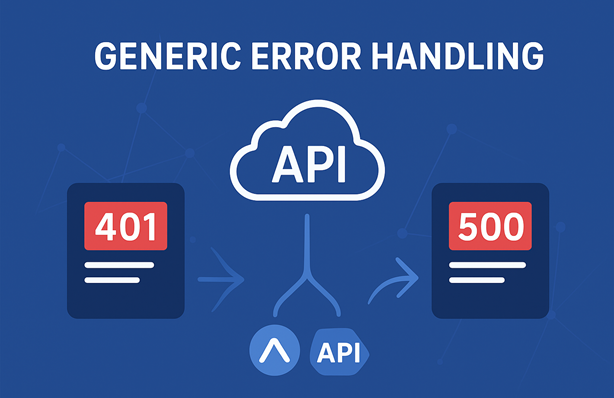
I’ve been working with Azure API Management for a while now and I’ve seen (and built) solutions where every API, or worse, every operation, had its own error handling logic. Those approaches often duplicate logic and lead to inconsistencies. Some APIs return only a status code, while others include problem details or use the default error schema that API Management provides. By implementing generic error handling, you can prevent duplication while improving consistency.
In this post, I’ll show you how to implement generic error handling at the global scope in API Management and how to customize its behaviour when needed.
Table of Contents
- Why Generic Error Handling?
- Understanding API Management Scopes
- Requirements
- Implementation
- Testing the Solution
- Considerations
- Conclusion
Why Generic Error Handling?
Applying generic error handling in API Management isn’t useful when API Management is a pure proxy where all requests and responses are passthrough. But it is valuable when you have custom logic in API Management. For example:
- When clients connect to API Management via OAuth, but the backends that API Management connects to use different authentication implementations. Some might use basic authentication while others require an API Key or OAuth. If the backend returns 401 Unauthorized or 403 Forbidden, it means the credentials API Management used are invalid. You don’t want to return this status code to the client since their credentials are valid. A 500 Internal Server Error makes more sense.
- If you’re doing custom transformations and the backend returns 400 Bad Request, it doesn’t always make sense to return that to the client. It could be a bug in your transformation code and a 500 Internal Server Error might make more sense.
You can implement the error handling in each API or operation, but that leads to duplicated logic and inconsistencies. A better approach is to implement generic error handling at the global scope, which applies to all APIs by default. This way, you define the error handling logic once and ensure consistent behaviour across all APIs. When specific APIs or operations need custom behaviour, they can override or bypass the global logic as needed.
Understanding API Management Scopes
Before we dive into the implementation, it’s important to understand how API Management Scopes work. Policies in API Management can be defined at different levels:
- Global scope - Applies to all APIs in the instance
- Workspace scope - Applies to all APIs in a workspace (for workspaces feature)
- Product scope - Applies to all APIs within a product
- API scope - Applies to all operations in an API
- Operation scope - Applies to a specific operation
Policies at lower scopes can inherit policies from parent scopes using the <base /> element. This allows you to define common logic once at a higher scope and selectively override or extend it at lower scopes.
In this post, we’ll provide generic error handling at the global scope and use policies at the operation scope to influence its behaviour if necessary.
Requirements
Let’s start with the requirements for our generic error handling solution:
-
Default passthrough codes - Status codes 404 (Not Found), 409 (Conflict), 413 (Payload Too Large) and 429 (Too Many Requests) are returned as-is, but with the response body cleared. These are some error codes that I’ve found useful to passthrough, but you can adjust this list as needed.
-
Error transformation - All other error status codes (400 and above, except the passthrough codes) are converted to 500 Internal Server Error with the response body cleared.
-
Success codes unchanged - Success status codes (2xx and 3xx) are passed through without modification.
-
Custom error handling - APIs or operations can set the
errorHandledvariable totrueto indicate they’ve handled errors themselves, which skips the global error handling and returns responses as-is. -
Customizable passthrough codes - APIs or operations can override which status codes should pass through by setting the
passthroughErrorStatusCodesvariable to a comma-separated list of status codes.
These requirements can be used as a starting point. You can adjust them based on your specific needs.
Implementation
I’ve created a sample implementation on GitHub that you can use as a reference. It includes:
- The global error handling policy
- An Error Handling API with four operations, each demonstrating a different scenario
- A backend API that simulates different backend responses by returning any HTTP status code (100-599) based on a parameter
You can deploy this sample to your own API Management instance using Bicep and experiment with it. If you don’t have an API Management instance yet, you can use my Azure Integration Services Quickstart template to deploy one quickly.
Let’s start with the global error handling policy.
Global Error Handling Implementation
Here’s the error handling logic that goes in the <outbound> section of the global policy:
<choose>
    <!--
        If an error occured and it has not been handled yet:
            - if status code should be passed through, then return status code as is
            - else return 500 Internal Server Error
    -->
    <when condition="@(
            context.Response.StatusCode >= 400 &&
            context.Variables.GetValueOrDefault<bool>("errorHandled", false) == false
    )">
        <choose>
            <!-- Set the passthrough error status codes to a default set if not already set-->
            <when condition="@(!context.Variables.ContainsKey("passthroughErrorStatusCodes"))">
                <set-variable name="passthroughErrorStatusCodes" value="404,409,413,429" />
            </when>
        </choose>

        <choose>
            <!-- If the error status code is in the passthrough list, clear the body and return the status code as is -->
            <when condition="@{
                string[] passthroughErrorStatusCodes = ((string)context.Variables["passthroughErrorStatusCodes"]).Split(',');
                return passthroughErrorStatusCodes.Contains(context.Response.StatusCode.ToString());
            }">
                <set-body />
            </when>
            <!-- Otherwise, return a 500 Internal Server Error -->
            <otherwise>
                <set-status code="500" reason="Internal Server Error" />
                <set-body />
            </otherwise>
        </choose>
    </when>
</choose>
Here’s how this logic works:
-
Check for errors - The outer
<when>condition checks if the response status code is 400 or higher (an error) and theerrorHandledvariable is not set totrue. -
Set default passthrough codes - If the
passthroughErrorStatusCodesvariable hasn’t been set by a lower scope, it defaults to “404,409,413,429”. -
Check if status code should pass through - The inner
<when>condition splits the passthrough codes into an array and checks if the current status code is in the list.We split a comma-separated
stringinto an array because API Management variables do not supportstring[]. Variables support types likestring,boolandint. See the set-variable policy documentation for the allowed types. -
Clear body for passthrough codes - If the status code is in the passthrough list, only the response body is cleared. The status code remains unchanged.
-
Convert to 500 - For all other error codes, the status is set to 500 Internal Server Error and the body is cleared.
In this example, we’re clearing the response body for all error responses, but in a real implementation you might first log the original error response and then return a structured error payload.
Now let’s look at different scenarios that demonstrate how to use the global error handling policy.
Scenario 1: Default Behaviour
The simplest scenario is when an operation or API doesn’t provide any custom error handling. It just inherits the global policy:
<outbound>
    <!-- No error handling, which means the default behaviour applies -->
    <base />
</outbound>
With this configuration:
- Status codes 404, 409, 413 and 429 from the backend are returned as-is
- All other error codes (400, 401, 403, 500, etc.) are converted to 500
- Success codes (200, 201, 204, etc.) pass through unchanged
This provides a consistent error handling baseline across all APIs without requiring any additional configuration.
Scenario 2: Bypass Generic Error Handling
Sometimes you need complete control over error responses. You can bypass the global error handling by setting the errorHandled variable to true:
<outbound>
    <!--
        All errors are marked as handled, which means
        the global error handling is skipped and they are returned as is
    -->
    <set-variable name="errorHandled" value="@(true)" />
    <base />
</outbound>
When errorHandled is true, all status codes (success and error) are returned exactly as the backend sent them. No body clearing, no status code transformation.
This is useful when an API or operation doesn’t require any error handling and you want to preserve the backend’s responses exactly, or when custom error handling is necessary.
Scenario 3: Custom Error Handling
You can also implement custom error handling that works together with the global policy. Here’s an example that transforms specific status codes:
<outbound>
    <choose>
        <!--
            We turn a 201 into a 418. Because we don't set errorHandled to true,
            this should be turned into a 500 by the global error handling.
        -->
        <when condition="@(context.Response.StatusCode == 201)">
            <set-status code="418" reason="I'm a teapot" />
        </when>

        <!--
            We turn a 204 into a 418. Because we set errorHandled to true,
            the global error handling is skipped and it is returned as is.
        -->
        <when condition="@(context.Response.StatusCode == 204)">
            <set-status code="418" reason="I'm a teapot" />
            <set-variable name="errorHandled" value="@(true)" />
        </when>
    </choose>

    <base />
</outbound>
This example is a bit silly, returning 418 (I’m a teapot), but it clearly demonstrates two patterns:
Pattern 1: Transform then apply global logic
- When the backend returns 201, it’s changed to 418 (I’m a teapot)
- Since
errorHandledis not set, the global policy sees the 418 error code - The global policy converts it to 500 Internal Server Error
- Result: Client receives 500
Pattern 2: Transform and bypass global logic
- When the backend returns 204, it’s changed to 418 (I’m a teapot)
errorHandledis set totrue, so the global policy is bypassed- Result: Client receives 418 as-is
This pattern is for example useful when the backend returns a success code (like 200 OK) but the response body indicates a failure. You can transform it to an error code and let the global policy handle it consistently.
Scenario 4: Override Passthrough Error Codes
Sometimes you might want to change which error codes are passed through.
You can customize this by setting the passthroughErrorStatusCodes variable:
<outbound>
    <!--
        Override which error status codes are passed through as is,
        and which should be turned into a 500 Internal Server Error
    -->
    <set-variable name="passthroughErrorStatusCodes" value="401,403,404,503" />
    <base />
</outbound>
With this configuration:
- Status codes 401, 403, 404 and 503 are returned as-is
- The default passthrough codes 409, 413 and 429 are now converted to 500 (since they’re not in the custom list)
- All other error codes are still converted to 500
This is useful when you have specific error codes that have meaning to your clients and should be returned as-is. For example, you might want to return 401 Unauthorized or 403 Forbidden when the client’s credentials are forwarded to the backend and are invalid, but convert other errors to 500.
Testing the Solution
The sample includes a .NET test suite that validates all scenarios. Tests call the Error Handling API with specific status codes, the backend echoes them, and assertions verify the expected behaviour. You can run these tests against your own API Management instance. See the test section in the sample implementation for details.
Considerations
While this solution provides a robust approach to generic error handling, there are a few things to keep in mind:
Azure Policy Compliance
The solution does not comply with the Azure policy API Management policies should inherit parent scope policies using that ensures that every API Management policy includes the <base /> tag at the beginning of each policy section - <inbound>, <outbound>, <backend> and <on-error> - to inherit policies from parent scopes.
In some scenarios shown above, we’ve added conditions and set variables before calling <base /> in the <outbound> section. Omitting <base /> at the beginning can lead to bypassing shared rules such as logging and other critical controls and should not be done lightly.
In my post Validate API Management policies with PSRule, I describe how you can validate your API Management policies with PSRule. You could create custom rules that verify that the <base /> policy in the <outbound> section is only preceded by certain policies (like set-variable) to make sure important logic on a higher scope isn’t bypassed.
Migrating Existing Environments
If you’re implementing this solution in an existing environment with APIs that already have their own error handling, you might change their behaviour unintentionally. Here’s a migration approach:
-
Add bypass logic - Wrap the error handling in the global policy in a check so it’s only executed if the
skipGenericErrorHandlingvariable is not set totrue:<when condition="@(context.Response.StatusCode >= 400 && !context.Variables.GetValueOrDefault<bool>("errorHandled", false) && !context.Variables.GetValueOrDefault<bool>("skipGenericErrorHandling", false))"> -
Opt out existing APIs - Set
skipGenericErrorHandlingtotruein every existing API to make sure the generic error handling is skipped and current behaviour is preserved. -
Migrate incrementally - For each API:
- Remove the
skipGenericErrorHandlingvariable - Remove current error handling logic that duplicates the generic behaviour
- Implement custom error handling if needed using the patterns shown above
- Test thoroughly
- Remove the
-
Clean up - Once all APIs are migrated, remove the
skipGenericErrorHandlinglogic from the global scope.
This approach allows you to migrate APIs one at a time without disrupting existing functionality.
Conclusion
Generic error handling in Azure API Management provides a centralized way to handle errors consistently across all your APIs. By implementing the logic at the global scope, you eliminate duplicate code and increase consistency.
This solution is flexible enough to allow customization when needed. You can bypass the global error handling logic entirely, transform specific status codes or customize which codes should pass through. This gives you the best of both worlds: consistent defaults with the ability to handle special cases.
The sample implementation on GitHub includes working examples of all scenarios, automated tests and Bicep templates for deployment. You can use it as a starting point for implementing generic error handling in your own API Management instance.